If you host services from a home or small office connection, there’s a good chance…

Choosing MikroTik Hardware for High-Performance VXLAN Networks
NETWORK ENGINEERING GUIDE
A comprehensive guide to selecting the right MikroTik switches and routers for hardware-accelerated VXLAN deployments—from budget lab setups to terabit-scale ISP cores.
One of the greatest strengths of MikroTik routers, switches, and access points is that nearly every feature is available across the entire product line—no artificial licensing tiers, no paywalls, and no hidden add-ons. But while the features are widely accessible, the level of performance you get from those features depends heavily on selecting the right hardware.
If all you need is basic connectivity, almost any MikroTik device will get the job done. But if you’re aiming for serious throughput, low latency, and hardware-accelerated performance—especially with advanced technologies like VXLAN—your hardware choices and configuration decisions will have a dramatic impact on real-world results.
This guide walks you through the most important considerations when selecting MikroTik hardware for high-bandwidth VXLAN deployments, ensuring you can deliver massive, reliable gigabits of service to your subscribers.
Read on for our top recommendations from least expensive to most.
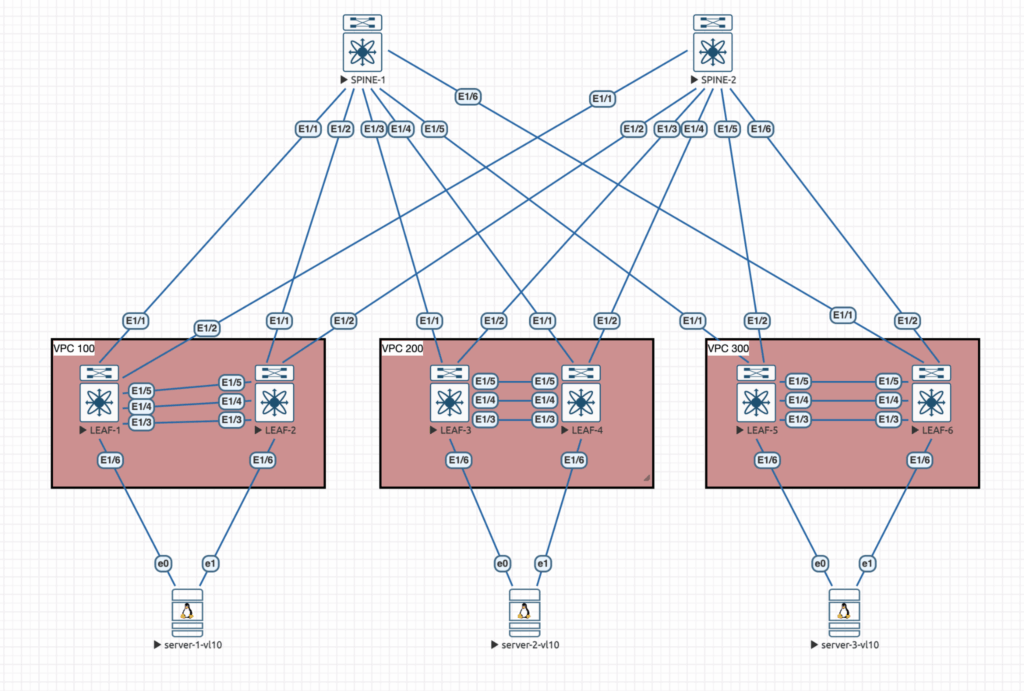
1. DX8200 / DX4000 small 10G switches
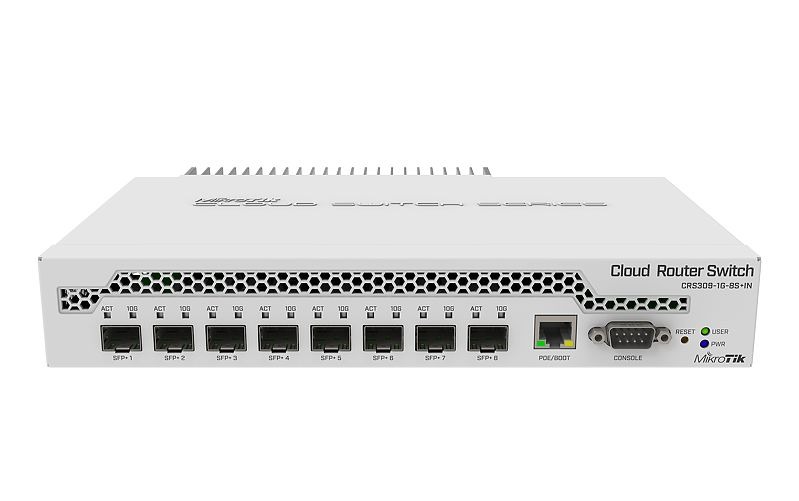
CRS309-1G-8S+IN https://mikrotik.com/product/crs309_1g_8s_in
- Switch ASIC: Marvell 98DX8208 (DX8000 family) MikroTik Help
- Ports: 1× 1G RJ45 (mgmt) + 8× 10G SFP+
- Hardware VXLAN: Yes (L3HW VXLAN offload) MikroTik Help+1
- Throughput (L2 switching):
- Non-blocking throughput: 81 Gbps
- Switching capacity: 162 Gbps MikroTik+1
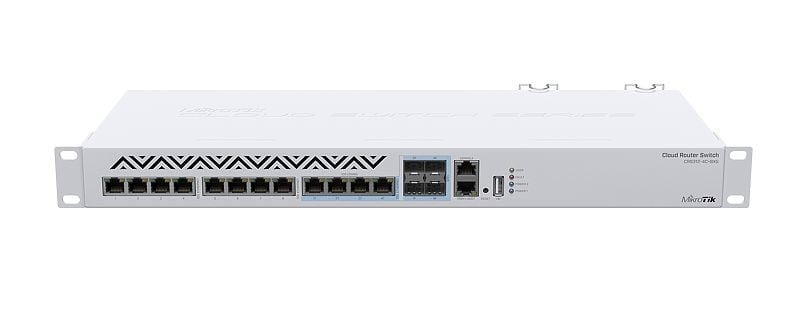
CRS312-4C+8XG-RM https://mikrotik.com/product/crs312_4c_8xg_rm
- ASIC: Marvell 98DX8212 MikroTik Help+1
- Ports: 8× 10G RJ45 + 4× 10G combo (RJ45/SFP+)
- HW VXLAN: Yes MikroTik Help
- Throughput:
- Non-blocking throughput: 120 Gbps
- Switching capacity: 240 Gbps
- Forwarding rate: 178 Mpps MikroTik+1
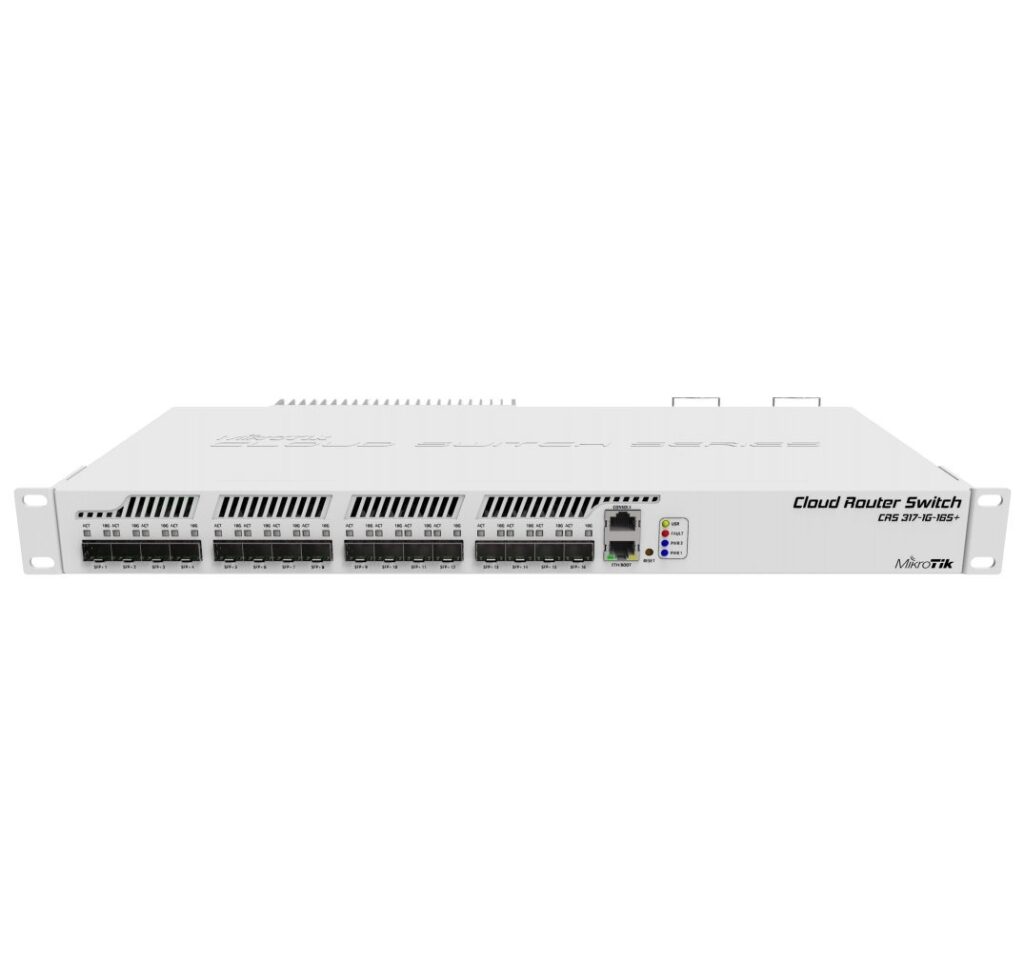
CRS317-1G-16S+RM https://mikrotik.com/product/crs317_1g_16s_rm
- ASIC: Marvell 98DX8216 MikroTik Help+1
- Ports: 16× 10G SFP+ + 1× 1G RJ45 (mgmt)
- HW VXLAN: Yes MikroTik Help+1
- Throughput (MikroTik test table):
- Non-blocking L2 throughput (L1): ~161 Gbps
- Non-blocking L2 capacity (L1): ~322 Gbps MikroTik+1
2. DX8332 / DX3257 mid-size 10G + 40G switches
CRS326-24S+2Q+RM https://mikrotik.com/product/crs326_24s_2q_rm
- ASIC: Marvell 98DX8332 MikroTik Help
- Ports: 24× 10G SFP+ + 2× 40G QSFP+
- HW VXLAN: Yes MikroTik Help+1
- Throughput:
- Non-blocking throughput: 320 Gbps
- Switching capacity: 640 Gbps
- Forwarding rate: 252 Mpps MikroTik+1
CRS326-4C+20G+2Q+RM https://mikrotik.com/product/crs326_4c_20g_2q_rm
- ASIC: Marvell 98DX8332 MikroTik Help+1
- Ports: 20× 10G SFP+ + 4× combo + 2× 40G QSFP+
- HW VXLAN: Yes MikroTik Help+1
- Throughput (MikroTik Ethernet test):
- Non-blocking L2 throughput (L1): ~170.1 Gbps
- Non-blocking L2 capacity (L1): ~340.2 Gbps MikroTik
CRS354-48G-4S+2Q+RM https://mikrotik.com/product/crs354_48g_4splus2qplusrm
- ASIC: Marvell 98DX3257 (DX8000-feature variant) MikroTik Help
- Ports: 48× 1G RJ45 + 4× 10G SFP+ + 2× 40G QSFP+
- HW VXLAN: Yes (DX3257 is explicitly in the VXLAN-offload table) MikroTik Help+1
- Throughput:
- Non-blocking throughput: 168 Gbps
- Switching capacity: 336 Gbps
- Forwarding rate: 235 Mpps MikroTik+1
CRS354-48P-4S+2Q+RM https://mikrotik.com/product/crs354_48p_4s_2q_rm
- ASIC: Marvell 98DX3257 MikroTik Help
- Ports: 48× 1G PoE RJ45 + 4× 10G SFP+ + 2× 40G QSFP+
- HW VXLAN: Yes MikroTik Help
- Throughput:
- Non-blocking throughput: 168 Gbps
- Switching capacity: 336 Gbps
- Forwarding rate: 235 Mpps MikroTik+2WAV Online+2
3. DX4310 100G switches & ROSE data server
These all use the 98DX4310 switch chip, which the MikroTik docs explicitly call out as L3HW-capable with VXLAN offload. MikroTik Help+1
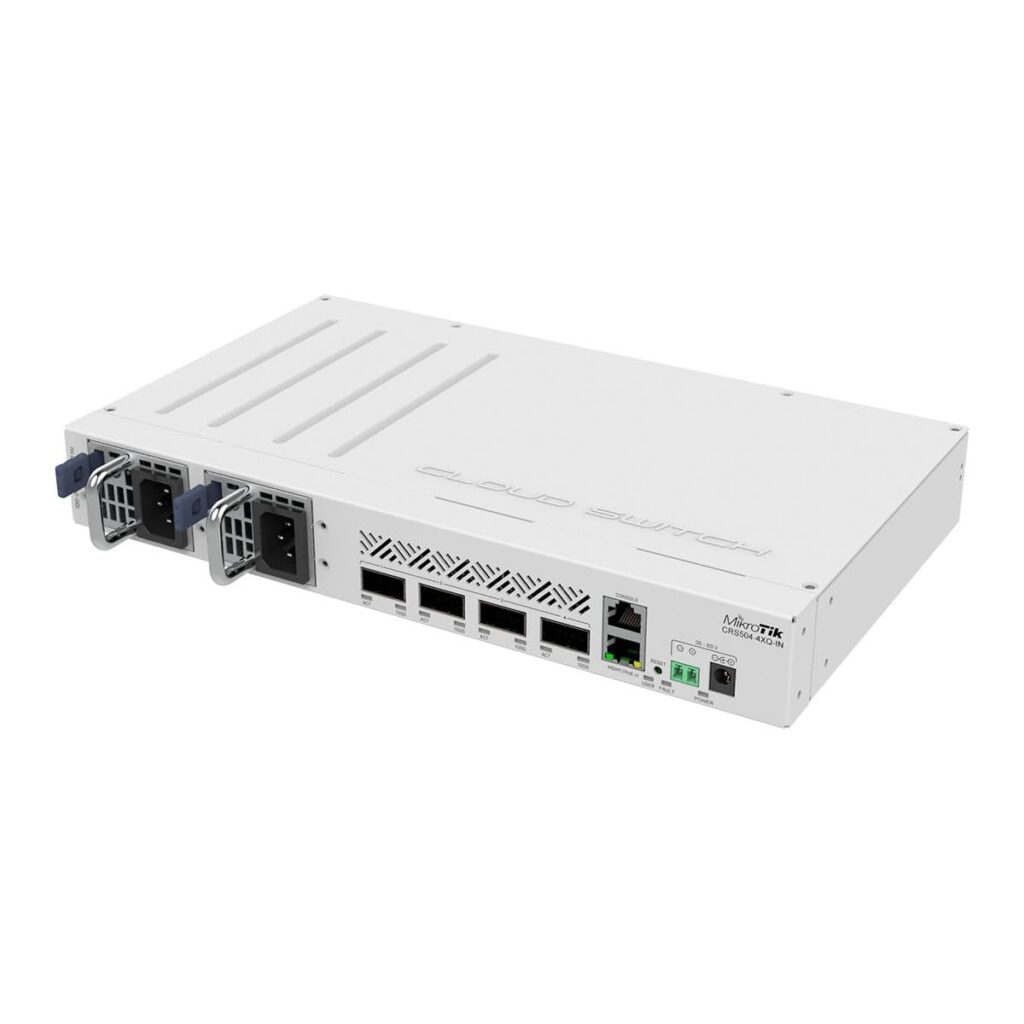
CRS504-4XQ-IN / CRS504-4XQ-OUT https://mikrotik.com/product/crs504_4xq_in
- ASIC: Marvell 98DX4310 MikroTik Help+1
- Ports: 4× 100G QSFP28
- HW VXLAN: Yes MikroTik Help+1
- Throughput (CRS504-4XQ-IN switching tests): Wireless Netware
- Non-blocking L2 throughput (L1): 400.1 Gbps
- Non-blocking L2 capacity (L1): 800.2 Gbps
CRS510-8XS-2XQ-IN https://mikrotik.com/product/crs510_8xs_2xq_in
- ASIC: Marvell 98DX4310 MikroTik Help+2MikroTik+2
- Ports: 8× 25G SFP28 + 2× 100G QSFP28
- HW VXLAN: Yes MikroTik Help+1
- Throughput (MikroTik switching test): MikroTik+1
- Non-blocking L2 throughput (L1): 400.1 Gbps
- Non-blocking L2 capacity (L1): 800.2 Gbps
RDS2216-2XG-4S+4XS-2XQ (ROSE Data Server) https://mikrotik.com/product/rds2216
- ASIC: Marvell 98DX4310 (same as CRS504/510) MikroTik+1
- Ports: 2× 10G RJ45, 4× 10G SFP+, 4× 25G SFP28, 2× 100G QSFP28 + 20× U.2 NVMe slots Baltic Networks+1
- HW VXLAN: Yes (L3HW VXLAN offload via DX4310) MikroTik+1
- Throughput:
- MikroTik haven’t published a full switching test table yet; given it’s the same switch chip and port mix class as CRS504/510, practical L2/VXLAN performance is in the same ~400 Gbps throughput / ~800 Gbps capacity ballpark when offloadable. (That’s an inference based on identical ASIC and L3HW feature set.) MikroTik+2Wireless Netware+2
4. DX8525 / DX8410 high-end 100G switches & CCRs
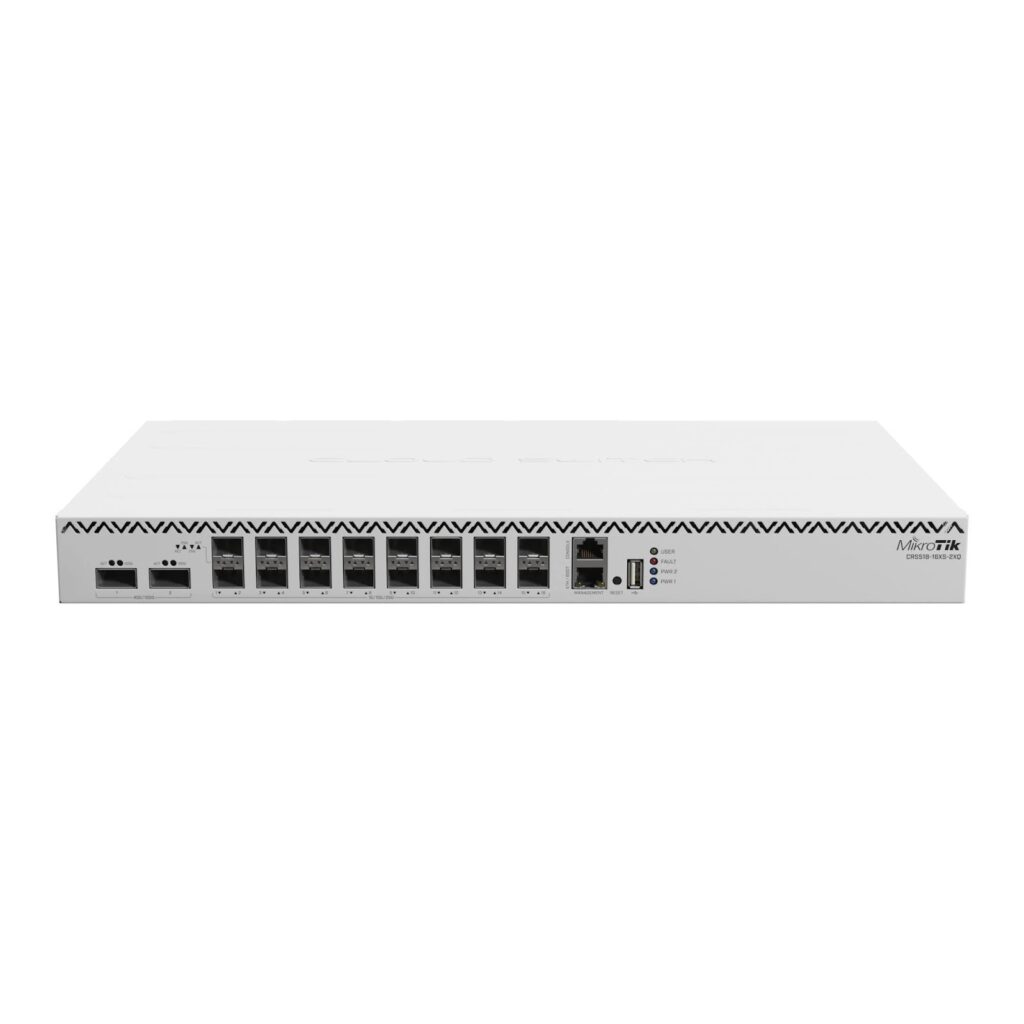
CRS518-16XS-2XQ-RM https://mikrotik.com/product/crs518_16xs_2xq
- ASIC: Marvell 98DX8525 MikroTik Help+1
- Ports: 16× 25G SFP28 + 2× 100G QSFP28
- HW VXLAN: Yes MikroTik Help+1
- Throughput:
- Switching capacity: up to 1.2 Tbps
- Total non-blocking throughput: ≈ 600 Gbps MikroTik+2optacenetworks.com+2
CRS520-4XS-16XQ-RM https://mikrotik.com/product/crs520_4xs_16xq_rm
- ASIC: Marvell 98CX8410 MikroTik Help
- Ports: 16× 100G QSFP28 + 4× 25G SFP28
- HW VXLAN: Yes (L3HW VXLAN offload; marketed explicitly with L3HW routing) MikroTik Help+2MikroTik+2
- Throughput:
- Switching capacity: ~3.2 Tbps
- Non-blocking L2 throughput: ~1.68 Tbps (1,677,896 Mbps in test table) varia.org+2IPVoice Technologies+2
CCR2216-1G-12XS-2XQ https://mikrotik.com/product/ccr2216_1g_12xs_2xq
- ASIC: Marvell 98DX8525 (with 4×25G internal link to the ARM64 CPU) MikroTik Help+1
- Ports: 12× 25G SFP28 + 2× 100G QSFP28 + 1× 1G RJ45
- HW VXLAN: Yes (in the DX8525 L3HW/VXLAN table) MikroTik Help+2MikroTik Help+2
- Throughput / performance notes:
- Designed as 100G edge/peering router with L3HW routing + VXLAN offload; ASIC fabric is line-rate for the port mix, while a 4×25G (100 Gbps) link to CPU handles CPU-bound traffic. i.mt.lv+1
- Real-world reports show it can offload very large route tables with L3HW, but high PPS scenarios can still be CPU-limited if traffic can’t be offloaded. MikroTik Help+2MikroTik community forum+2
CCR2116-12G-4S+ https://mikrotik.com/product/ccr2116_12g_4splus
- ASIC: Marvell 98DX3255 (DX8000-feature variant) MikroTik Help+1
- Ports: 12× 1G RJ45 + 4× 10G SFP+
- HW VXLAN: Yes (in the DX3255 L3HW/VXLAN table) MikroTik Help+1
- Throughput / performance notes:
- Marketed as providing “switch-like throughput” in most 10G setups, roughly double CCR1036 performance, with L3HW handling the heavy lifting when configured correctly. MikroTik+2Flytec Computers+2
- No single headline Gbps number in MikroTik docs, but in practice you’re limited by 4×10G + 12×1G port rate and how much you can keep in hardware vs CPU path.
5. Quick cheat-sheet
All MikroTik devices with documented hardware VXLAN offload today (RouterOS 7.18+): MikroTik Help+1
- CRS309-1G-8S+IN – 81 Gbps / 162 Gbps (throughput / capacity)
- CRS312-4C+8XG-RM – 120 / 240 Gbps
- CRS317-1G-16S+RM – ~161 / ~322 Gbps
- CRS326-24S+2Q+RM – 320 / 640 Gbps
- CRS326-4C+20G+2Q+RM – ~170 / ~340 Gbps
- CRS354-48G-4S+2Q+RM – 168 / 336 Gbps
- CRS354-48P-4S+2Q+RM – 168 / 336 Gbps
- CRS504-4XQ-IN / -OUT – 400 / 800 Gbps
- CRS510-8XS-2XQ-IN – 400 / 800 Gbps
- RDS2216-2XG-4S+4XS-2XQ – same DX4310 L3HW engine as CRS504/510 (≈400 / 800 Gbps class)
- CRS518-16XS-2XQ-RM – ~600 Gbps throughput, 1.2 Tbps capacity
- CRS520-4XS-16XQ-RM – ~1.68 Tbps throughput, 3.2 Tbps capacity
- CCR2116-12G-4S+ – DX3255 L3HW; “switch-like throughput” for its 10G/1G mix
- CCR2216-1G-12XS-2XQ – DX8525 L3HW; 12×25G + 2×100G, with 4×25G to CPU
VXLAN HW caveats
As of RouterOS 7.18+, hardware VXLAN offload is only available on devices using Marvell DX8000/DX4000-class switch chips (or their special DX32xx variants) with L3HW VXLAN listed as HW in the L3 Hardware Offloading doc. MikroTik Help+1
VXLAN offload = “VXLAN HW” in that table (data-plane in ASIC; underlay still routed in HW with the usual L3HW rules).
From the RouterOS L3HW doc, VXLAN offload currently has some important limitations: MikroTik Help+1
- VTEPs must sit on plain routed interfaces (no ECMP, no bond/bridge/VLAN underlay, no IPv6 underlay, no VRF for VTEP IP).
- VXLAN interfaces in a bridge:
- No VLAN-over-VXLAN tagging, no routing between VNIs.
- No IGMP snooping offload; MLAG not supported on VXLAN ports.
- Static, one-to-one VLAN↔VXLAN mappings are the sweet spot for offload.
Example Lab Gear Hardware Configurations
🔵 Tier 1: Budget-Friendly / Beginner Lab Kits
1) CRS309 ↔ CRS309 (8×10G SFP+ each)
Why this pair:
- Cheapest way to get real hardware VXLAN offload.
- Quiet, low wattage, easy on a desk.
- Great for validating VLAN↔VNI, VXLAN bridging, and underlay routing.
Performance: ~81 Gbps non-blocking per switch.
Use cases:
- Simple 10G EVPN/VXLAN fabric
- L2 extension tests (MTU, flooding behavior, ARP/NDP learning)
- BFD/OSPF over underlay while keeping VNI traffic offloaded
Recommended topology:
- Make one the “spine,” one the “leaf.”
- Add a small CHR VM as route reflector (if doing EVPN).
Estimated cost (street): ~$300 each.
2) CRS317 ↔ CRS317 (16×10G SFP+)
Why this pair:
- Twice the ports of CRS309 for only a little more money.
- True line-rate 10G switching → great for traffic generators.
- Most popular “value” VXLAN-HW test platform.
Performance: ~160 / 320 Gbps throughput/capacity.
Use cases:
- Larger lab (multi-VNI, multiple VLAN domains)
- Simulating ISP transport rings and core/aggregation
- Testing offload limits when mixing routed + bridged workloads
Estimated cost: ~$420–$470 each.
🟣 Tier 2: Mid-Range / Realistic ISP or MSP Lab
3) CRS326-24S+2Q ↔ CRS326-24S+2Q (24×10G + 2×40G)
Why this pair:
- This is the sweet spot for realistic ISP core/aggregation VXLAN.
- Cheap for the port count: 24×10G + 2×40G QSFP+.
- Supports VXLAN HW offload and gives you uplinks for future expansion.
Performance: 320 / 640 Gbps.
Use cases:
- Emulating a mid-sized WISP/MPLS-to-VXLAN migration
- Using 40G links as “spine”
- EVPN multihoming emulation (active/standby, not MLAG yet)
- Hybrid VLAN + VXLAN deployments with QinQ underlay
Estimated cost: ~$600–$700 each.
4) CRS312 ↔ CRS312 (8×10G RJ45 + 4×10G combo)
Why this pair:
- If you want 10G copper, this is the best HW-VXLAN lab device.
- Extremely flexible — can test mixed media underlays (RJ45/SFP+)
- Great for homelabbers mixing servers and routers.
Performance: 120 / 240 Gbps.
Use cases:
- Testing real-world 10GBASE-T server connectivity
- Underlay on RJ45, overlay on SFP+
- Simulating “top-of-rack” behavior w/ VXLAN bridging
Estimated cost: ~$550–$650 each.
🔥 Tier 3: High-End / Next-Gen ISP Core + DC Fabric
5) CRS504 ↔ CRS504 (4×100G QSFP28)
Why this pair:
- Cheapest way to get 100G VXLAN offload on MikroTik.
- Great for future-proofing: can be spines for a larger lab.
- Silent(ish) and low power compared to typical 100G switches.
Performance: 400 / 800 Gbps (line-rate 100G).
Use cases:
- Testing large MTU VXLAN fabrics
- Realistic DC leaf/spine architecture
- Simulating ISP NNI handoffs at 100G
- Testing scale: 10K–100K MAC/VNI scenarios
Estimated cost: ~$899–$999 each.
6) CRS518 ↔ CRS518 (16×25G + 2×100G)
Why this pair:
- The best all-around VXLAN-HW lab switch MikroTik makes right now.
- Superb for building realistic leaf/spine EVPN networks.
- Supports 25G server links + 100G uplinks like a real data center.
Performance: ~600 Gbps throughput / 1.2 Tbps switching.
Use cases:
- Full EVPN fabric with realistic oversubscription
- ISP/enterprise aggregation at 25G
- Testing scale + high PPS offload
- Building spine pairs and adding CRS504 leaves (or vice-versa)
Estimated cost: ~$1,299–$1,499 each.
🟡 Tier 4: Router + Switch Hybrid for Service Provider Labs
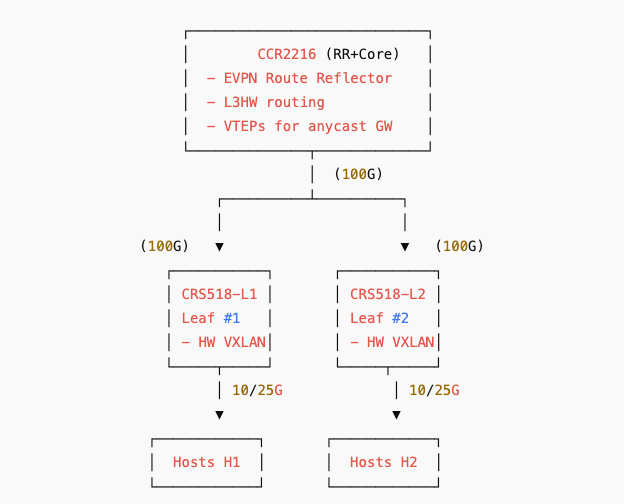
7) CCR2216 + CRS518 (router/switch pair)
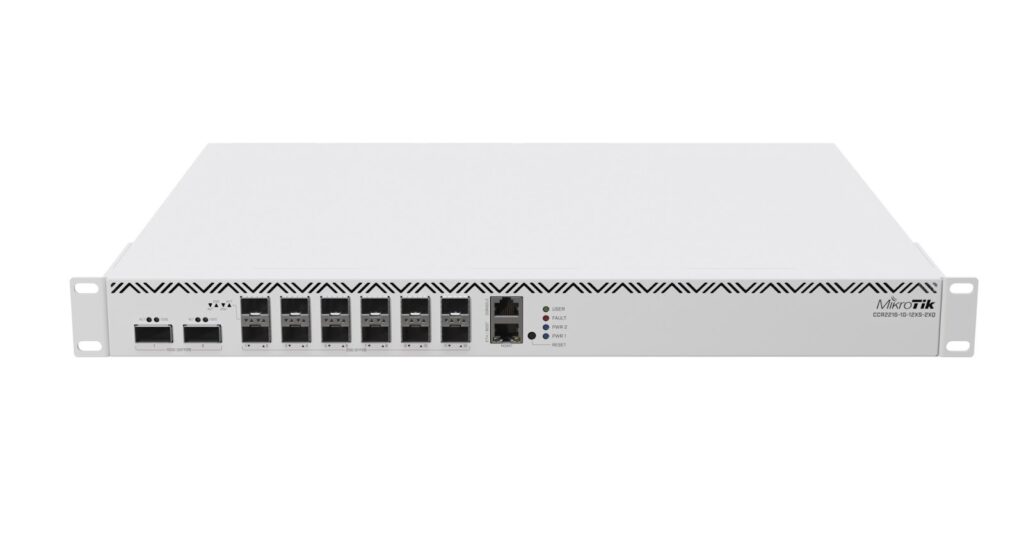

Why this pair:
- Gives you both:
- L3HW VXLAN routing in the CCR2216
- High-density 25/100G switching in the CRS518
- Closest you can get to a modern ISP VXLAN/EVPN deployment.
Performance:
- CCR2216: 12×25G + 2×100G with L3HW and VXLAN offload
- CRS518: 600 Gbps throughput class
Use cases:
- MPLS → VXLAN transition
- EVPN Type-5 routed overlays
- BGP RR on CCR2216 + VXLAN leaf/spine on CRS518
- Testing multi-tenant L2/L3 services on hardware
Cost: ~$2,700–$3,000 for the pair.
Summary
While any MikroTik device can technically deliver VXLAN traffic, real-world performance can vary dramatically depending on whether the workload is handled by hardware offloading or pushed onto the CPU. This guide will help you choose the right equipment to ensure your VXLAN network performs reliably and at the speeds your services demand.

Related Posts