https://youtu.be/jYFqPU61Xn4 On this episode of Bridge Mode, MikroTik Marc sits down with Tyler Casey to…
The “Slow Internet” That Was Really a Botnet
5.
The “Slow Internet” That Was Really a Botnet
On the latest Bridge Mode episode of Router Power-ups and Insights, Marc sits down with Tyler Casey of DMTech, who runs a residential WISP, to walk through one of the strangest support cases his team has seen: a customer whose internet was “just slow,” and a cheap Android TV box that turned out to be the reason.
A complaint with no obvious cause
A customer kept calling in about slow service. Tyler’s team ran the usual checks and came up empty: the CPE radio was fine, the tower was fine, and inside the home the Wi-Fi had good signal, good modulation and low latency. Nothing on the provider side explained it, but the customer was still unhappy.
The clue: upload that wouldn’t stop
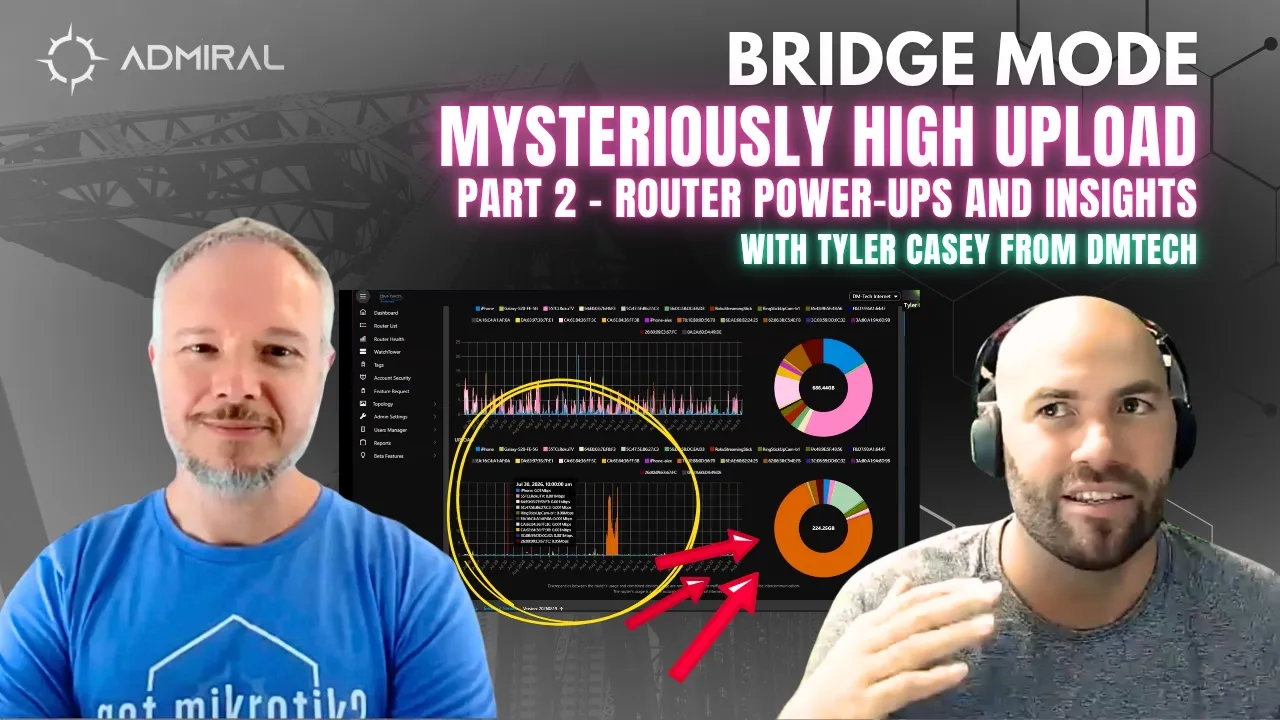
The bandwidth charts finally showed something odd. The customer was pushing around 50 Mbps of upload, nonstop, for more than 24 hours. On a residential connection that’s unusual, though not proof of a problem on its own, since a big phone or cloud backup can do the same thing. On a 5 GHz fixed wireless link that isn’t full duplex, though, that much upload creates real contention with everything else.
The catch: every tool that stopped at the demarc could show that the upload was happening, but none could show which device was producing it.
Seeing inside the subscriber LAN
That’s where Admiral’s per-device view of the customer’s network made the difference. One device accounted for roughly 70–80% of the household’s upload for the month, about 160 GB in a little over a day, while using almost no download. A MAC lookup pointed to an obscure chipset maker, and the device was connected on 2.4 GHz at about −39 dBm. That added up to a likely IoT device sitting close to the router, which was enough to brief a technician before he ever left the office.
The culprit
On site, the tech found an off-brand Android TV box plugged into the TV, the “free channels for life” kind sold at flea markets and on discount shopping sites. It was sitting idle on its home screen. Unplugged, the traffic stopped instantly. Plugged back in, it was hammering the connection again within about 30 seconds.
A Torch session on the customer’s MikroTik hAP ac² told the rest of the story: a flood of packets per second headed to foreign IP addresses, router CPU jumping to around 30%, and a log full of “connection tracking table full” errors. The customer wasn’t under attack. Their TV box was helping attack someone else, and their own connection was collateral damage. Once the box was removed, the customer said their internet was working better than they could ever remember.
Meet Kimwolf
After Tyler shared the case on WISP Talk, a community member pointed him to Kimwolf, a botnet linked to the Aisuru family that targets uncertified Android TV boxes. These devices often ship with outdated, unpatched Android and residential-proxy software, which attackers abuse to gain root access and then block the device from ever receiving updates. Researchers have estimated the botnet at roughly 1.8 to 2 million infected devices worldwide, each one a small slice of enormous DDoS capacity.
Takeaways for providers
- Saturated upload feels as bad as saturated download. When upload is choked, the acknowledgments that keep TCP conversations moving get delayed, and everything feels slow.
- Without LAN visibility, you’re guessing. If you can only see to the demarc, the best you can tell a customer is “it’s something in your house.”
- You can confirm in real time. In Admiral, a suspect device can be assigned to a subscriber user and paused or rate-limited on the fly, so you and the customer can watch the problem disappear together. A forward-chain firewall rule in WinBox works too.
- Find it and remove it. You can’t out-provision a two-million-device botnet, but you can spot outliers on your network and get compromised devices offline.
As Tyler puts it, the final frontier of customer experience isn’t upstream. It’s the device in the subscriber’s living room.
Have a network story to share on Bridge Mode? Email bridgemode@admiralplatform.com. Want this kind of visibility into your own subscribers’ networks? Sign Up for Admiral Platform.

Related Posts