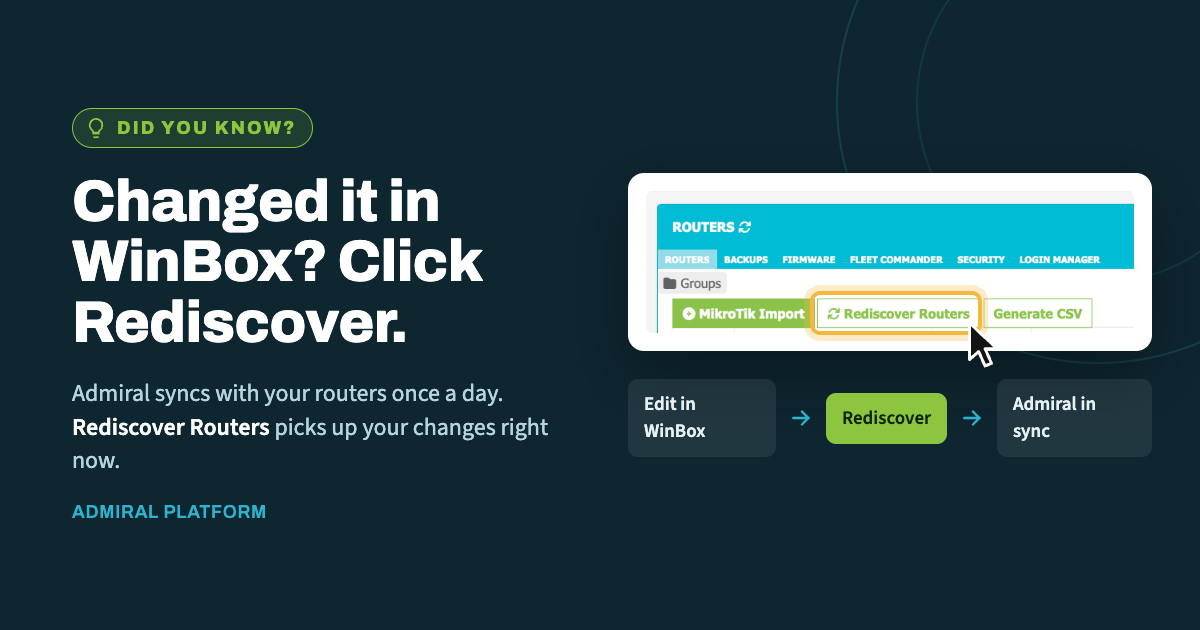
When you make a change directly on a router in WinBox, Admiral doesn't learn about…

What’s the deal with drops?
Recently we had the opportunity to investigate some polling and telemetry issues on some poorly connected MikroTiks with high latency, packet loss and intermittent accessibility. That got me thinking, what counters exist to understand this behavior and how can Admiral better tell when things aren’t cleanly connected?
Well, digging in deep we found the counters for rx-drop, tx-drop, tx-queue-drop, rx-error and tx-error – and these counters don’t just live inside of physical ethernet interfaces, they’re also a built-in part of VPN tunnels!
So what do they mean? Let’s take a look at my analogy of each of these errors as a chaotic nightclub example and then the official meaning.
RX-DROP

This is the bouncer at the door who’s just… overwhelmed. The frame showed up, ID looked fine, but the club (CPU/buffers) is already packed and there’s no room, so it gets turned away before it even steps inside. Also happens if the frame’s on the guest list for a VIP room (VLAN) it’s not actually invited to, or the room’s currently roped off (STP blocking).
rx-drop — a frame arrived cleanly at the physical/MAC layer but was discarded before reaching further processing. Common causes: receive ring buffer/descriptor exhaustion because the CPU can’t keep up with incoming packet rate (common on CCR/low-end boards under high pps load); no free memory buffers; the frame belonged to a VLAN not allowed on that port/trunk; bridge port in blocking/discarding STP state; bridge horizon or loop-protect discarding it; a port isolated in the bridge (private VLAN-style bridge port settings); hardware switch chip dropping due to ingress policer/ACL; or on wireless, frames dropped due to no matching connection/registration entry.
TX-DROP

You wrote the letter, sealed the envelope, walked to the mailbox… and the mailbox isn’t there. No carrier (link down), the road’s closed (STP blocking egress), you don’t know the recipient’s address (ARP never resolved), or the envelope’s too fat for the mail slot (MTU exceeded). Effort wasted, nothing sent.
tx-drop — a packet was handed to the interface for transmission but discarded before actually going out. Causes: interface link down or no carrier; STP blocking the egress port; VLAN not permitted on the trunk; ARP/neighbor resolution failed so the frame had nowhere to go; output packet exceeded interface MTU; bridge filtering (bridge firewall) dropped it; or on wireless, no client association/encryption key mismatch.
TX-QUEUE-DROP

This is the bar during last call. Everyone’s ordering, the queue’s backed up out the door, and eventually the bartender just stops taking orders because there’s physically no more room in line. Not broken — just popular. Your pipe’s smaller than the traffic wanting through, so the excess gets politely (or not) shown the door. Usually means “you need a bigger bar” (more bandwidth) or “better line management” (proper queue/shaping config).
tx-queue-drop — specifically a software-queue (not physical layer) drop: the interface’s queue (default interface queue, or a simple queue/queue tree attached to it) filled up because offered traffic exceeded the configured limit (queue-size, limit-at/max-limit in queue tree, or the interface’s default queue= type). This is normal, expected behavior under congestion — undersized queue buffers, a shaper set below actual throughput needs, a slow upstream link causing egress backlog, or bufferbloat-mitigation queue types (like CoDel/FQ-CoDel) intentionally dropping to control latency. On wireless, WMM/AC queue overflow when air time is saturated.
RX-ERROR

The frame arrived looking like it went through a blender. Static on the walkie-talkie (CRC error from EMI or a bad cable), someone mumbled half the message (runt frame), or it showed up in a costume nobody recognizes (alignment/duplex mismatch). It’s not that there wasn’t room — the message itself is garbled beyond use.
rx-error — physical-layer errors on the received frame itself: CRC/FCS errors (bad or too-long cable, damaged connector, EMI/interference, faulty SFP/transceiver, dirty fiber end-face), duplex mismatch, runt or oversized/jabber frames, alignment errors, symbol errors on fiber, or a failing NIC/switch-chip port. On wireless: corrupted frames from poor signal (low CCQ), interference, or channel overlap.
TX-ERROR

You tried to shout your order across a crowded room and got talked over mid-sentence (collision), or you started reading a speech off a teleprompter that stopped feeding you pages (transmit underrun — CPU too slow to keep the NIC fed). The transmission itself face-planted on the way out.
tx-error — physical-layer errors while transmitting: late collisions or excessive collisions (usually duplex mismatch on half-duplex links), transmit underruns (system can’t feed the NIC data fast enough, seen on overloaded CPUs), carrier-sense errors, a failing transceiver/cable, or firmware/driver faults causing the port to reset mid-transmit. On wireless: frames that exhausted retry limits.
What do I do about it?
- rx-error/tx-error → check cabling,
/interface ethernet cable-test,/interface ethernet monitorfor auto-negotiation/duplex/speed mismatches, and swap SFPs if fiber. - rx-drop/tx-drop → check
/interface bridge port printfor STP/blocking state, VLAN membership, and CPU load (/system resource print) for buffer exhaustion. - tx-queue-drop → check
/queue simple print//queue tree printand interface queue type/size — this one usually means you’re actually hitting your bandwidth limit or need a better queue discipline, not a fault.
Counters are cumulative since boot or last reset (/interface reset-counters), so compare over a time window rather than reading the raw total to judge severity.
Fix drops with capacity/config, fix errors with cables, duplex settings, and hardware sanity checks.

Related Posts