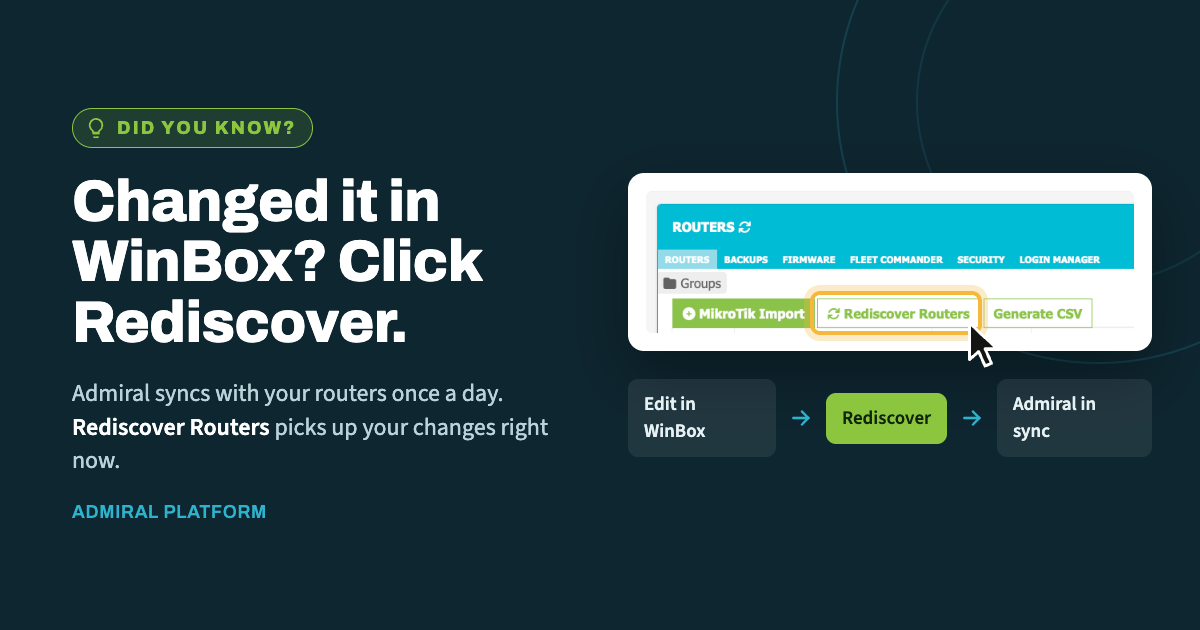
When you make a change directly on a router in WinBox, Admiral doesn't learn about…
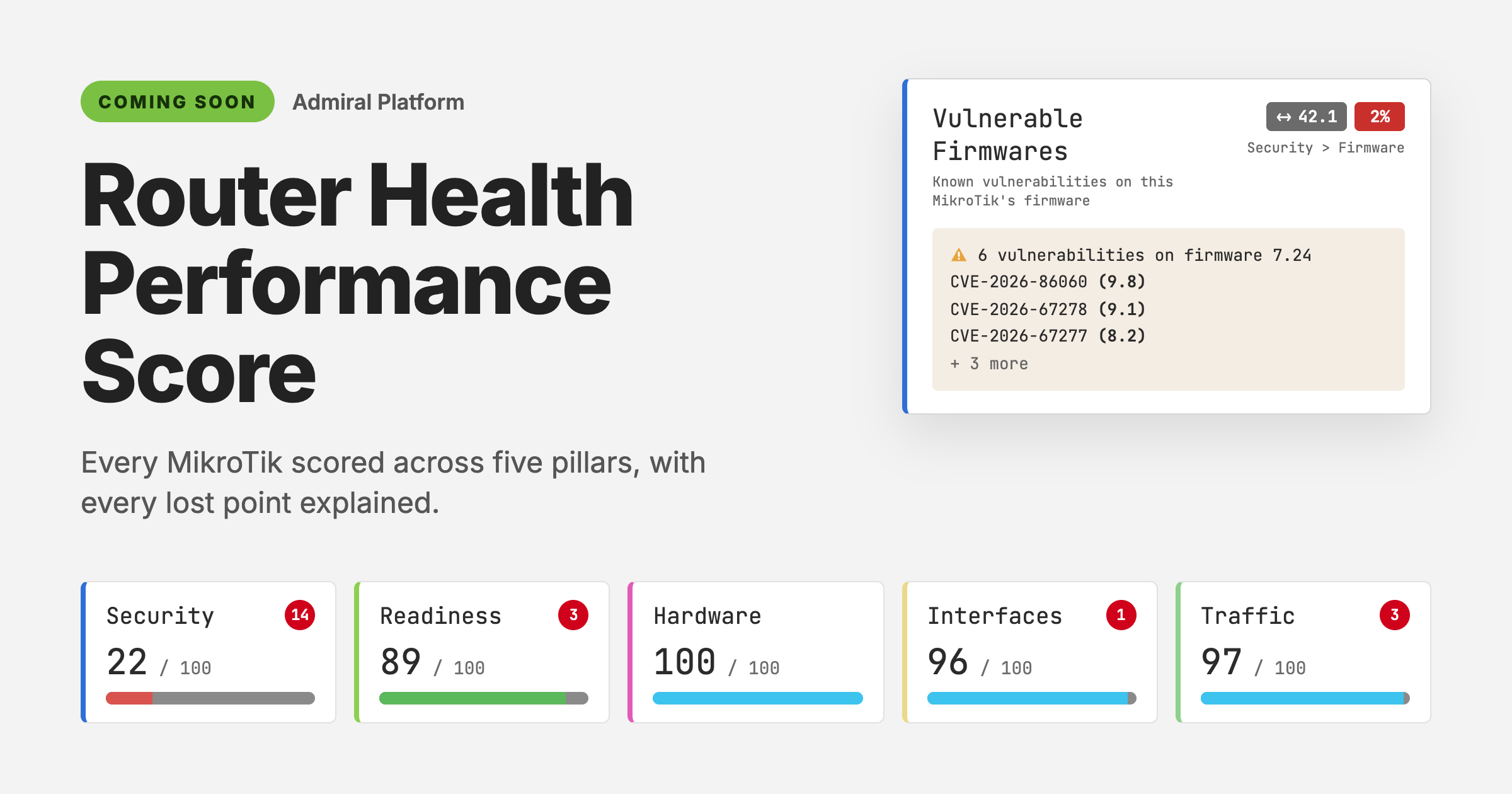
Coming Soon: Router Health Performance Score
A router that’s online isn’t the same as a router that’s healthy. It can show 99.9% uptime for the month while it runs firmware with known vulnerabilities, leaves Telnet open to any address, or slowly fills its disk. None of that turns the status dot red.
The Router Health Performance Score is coming soon to Admiral Platform. It gives every MikroTik you manage a score out of 100 in five areas. Every point it takes off is tied to a specific check and explained in plain language, so you know what’s wrong and what to fix first.
Five scores, one view of the router
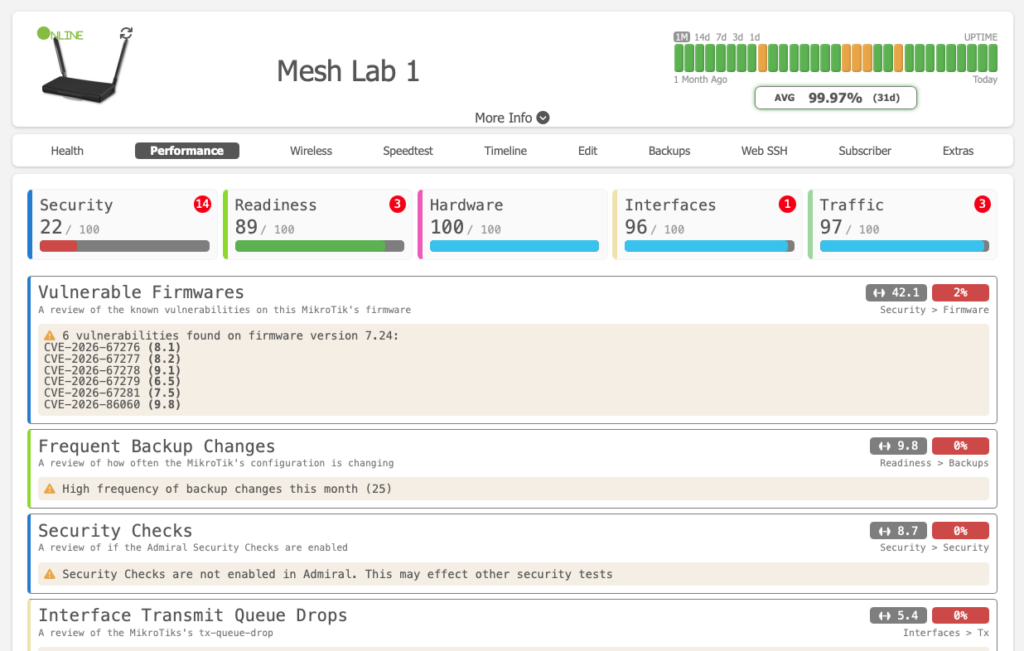
The score sits on each router’s Performance tab as five cards: Security, Readiness, Hardware, Interfaces and Traffic. Each card shows a score out of 100 and a red badge with the number of open issues in that area.
| Pillar | What it checks | Example checks |
|---|---|---|
| Security | How exposed the router is. | Known CVEs in the running firmware; API, WebFig HTTP, Telnet, FTP and Reverse Proxy services enabled without Limited Access; whether Admiral Security Checks are turned on. |
| Readiness | How well you could recover if something broke. | Backups, and how often the configuration is changing. |
| Hardware | How the device itself is holding up. | Disk usage, reboot frequency. |
| Interfaces | Whether ports are passing traffic cleanly. | Transmit queue drops per interface. |
| Traffic | How the WAN and WiFi are behaving. | Upload and download spikes, bandwidth trends, WiFi device usage, WiFi signal strength. |
Every lost point has a reason
Behind each score is a list of individual checks, and each one shows its work. Click any pillar card to filter the list to just that area’s checks. Every check card shows:
- What it reviews, in one line (for example, “A review of the MikroTik’s DISK usage”).
- Where it sits in the score, such as Hardware > Disk or Security > Firmware.
- Its weight, meaning how much it counts toward its pillar.
- Its result as a percentage, colored red, orange or blue.
- The finding in plain language, such as “High Disk usage (avg 96.01%)” or “Telnet service is enabled. Service does not have Limited Access.”
Two routers that look fine but aren’t
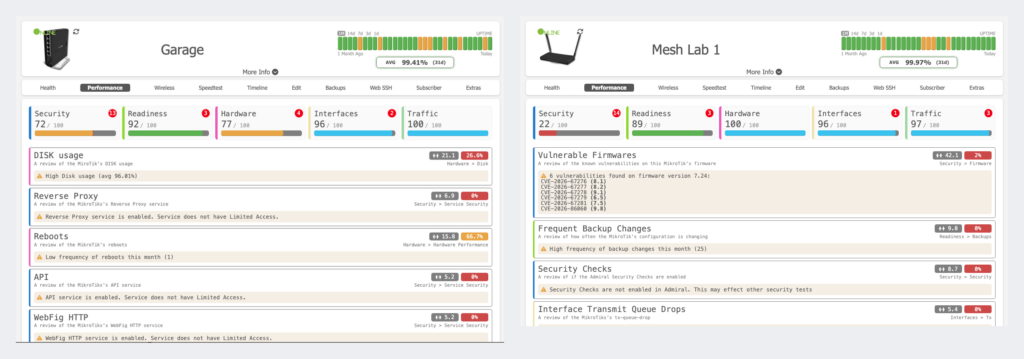
Going by uptime alone, both of these routers from our test fleet look healthy. The score shows what uptime doesn’t.
| Garage | Mesh Lab 1 | |
|---|---|---|
| 31-day uptime | 99.41% | 99.97% |
| Security | 72 (13 issues) | 22 (14 issues) |
| Readiness | 92 (3 issues) | 89 (3 issues) |
| Hardware | 77 (4 issues) | 100 |
| Interfaces | 96 (2 issues) | 96 (1 issue) |
| Traffic | 100 | 97 (3 issues) |
| Top fix | Disk averaging 96.01% full | Firmware 7.24 has 6 known CVEs |
Garage has clean traffic, but its disk is averaging 96.01% full. That check carries a weight of 21.1 and scores just 26.6%, which makes it the biggest drag on the router. Its Security score loses points because API, WebFig HTTP, Telnet, FTP and Reverse Proxy are all enabled without Limited Access.
Mesh Lab 1 has a perfect Hardware score and the better uptime, but its Security score is 22. It’s running RouterOS 7.24, which has six known vulnerabilities, including one rated 9.8. That single check has a weight of 42.1, so updating the firmware is clearly the first job. The score also flags 25 configuration changes this month, transmit queue drops on its VPN interfaces, and Admiral Security Checks being turned off, which can affect other security tests.
Why it matters
- Know where to start. When you manage hundreds of MikroTiks, the score tells you which routers need attention and which fix on each one matters most.
- Catch what monitoring misses. Exposed services, vulnerable firmware and a nearly full disk don’t take a router offline until they suddenly do.
- Hand off work faster. Findings are written so a tier 1 tech can act on them without having to interpret raw RouterOS output.
- Show clients the value. A score that goes up after your team fixes something is easy to point to in a client review.
Coming soon
The Router Health Performance Score will roll out to Admiral Platform customers soon. Once it’s live, open any router and click the Performance tab. To get the most accurate Security score, turn on Admiral Security Checks before launch.
Want early access, or have a check you’d like us to add? Send an email to marketing@admiralplatform.com to tell us what you’d want to see first.

Related Posts